Tech Art tools and Python scripts.
Technical Art & Pipeline Overview
Throughout my academic projects, I acted as a bridge across all disciplines, supporting the entire team from art and development to production and level design. My focus was always on building robust pipelines, optimizing workflows, and giving every department the tools they need to succeed without breaking the game.
Asset Pipeline & Integration: Built automated workflows and custom scripts to help artists seamlessly export and integrate assets into Unity without breaking dependencies or geometry.
Unity Environment Tools: Developed custom in engine tools leveraging C# scripts and shaders, allowing artists to paint directly on vertex data or UVs straight from the Unity scene view.
Jira Production Architecture: Set up the entire Jira project from scratch, utilizing custom Python automation scripts to speed up roadmap management and task organization while tailoring support directly to the producer’s needs.
VFX & ECS Integration: Implemented combat VFX systems integrated with ECS architecture, designing exposed parameters that give designers full flexibility to tweak and adjust effects easily.
Comprehensive Volume Manager: Engineered a centralized volume manager controlling background music, character audio cues like footsteps and jumps, and ambient environmental sound emitters with fast and accessible editing tools.
Art Department Organization: Enforced strict folder organization and structural guidelines within the art department to maintain a clean workspace, complete with clear documentation on asset placement.
Dynamic Lighting & Atmosphere: Designed and set up the dynamic atmospheric lighting systems, ensuring that mood and environment visuals remain fully flexible and adjustable.
Custom Grass Pipeline: Modeling, Shading & Placement Tool
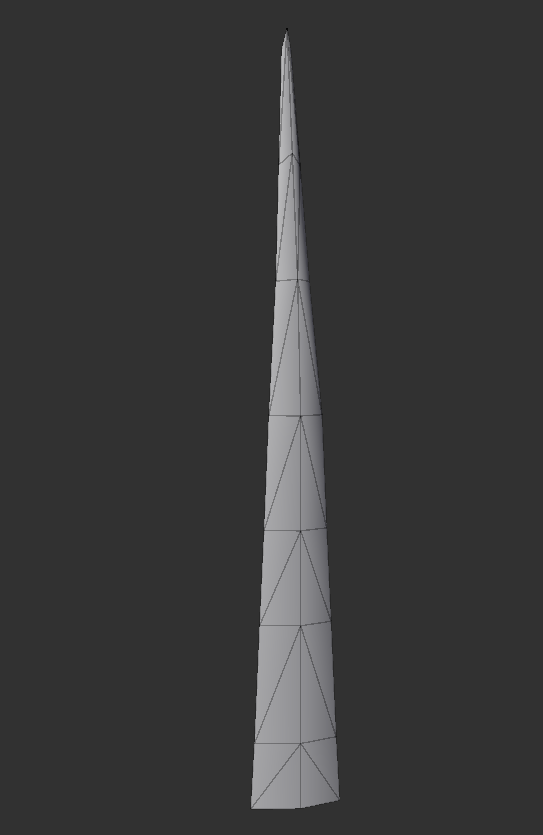
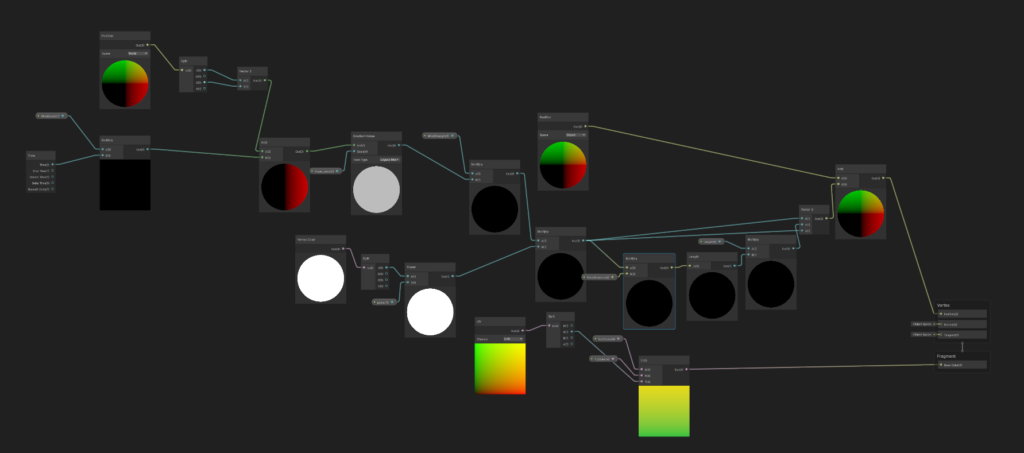
I created a complete grass pipeline starting with a custom-modeled grass blade optimized for natural bending. To bring it to life, I built a URP Shader Graph featuring an advanced wind system. The shader displaces the mesh vertices based on their vertex color, keeping the root grounded while the tip sways organically.
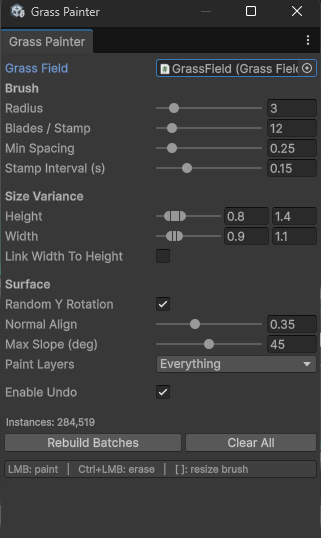
To populate the environment, I used Claude to help develop a highly efficient C# editor tool. It renders hundreds of thousands of instances seamlessly using spatial chunking and RenderMeshInstanced. The dynamic brush workflow automatically applies random height, width, and Y-axis rotation, while perfectly aligning each blade to the terrain and restricting growth on steep slopes.
Custom Splat Map System: PBR Shader & In-Editor Texture Painter
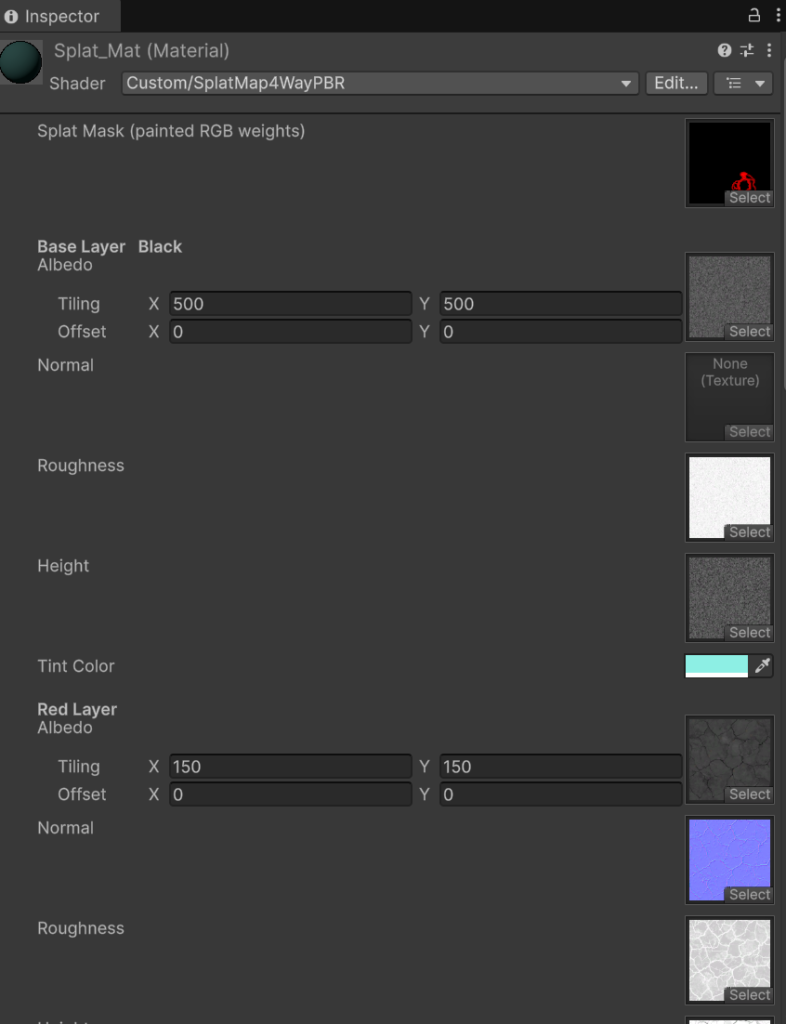
To handle the environment’s terrain, I designed and created my own seamless textures from scratch. To blend them naturally, I used Claude to build a custom 4-way PBR Splat Map shader in HLSL. This shader supports up to four material layers, each with independent Albedo, Normal, Roughness, and Height maps, alongside individual tiling and tint controls.
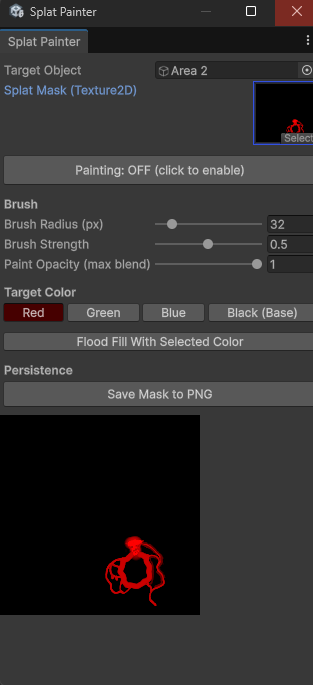
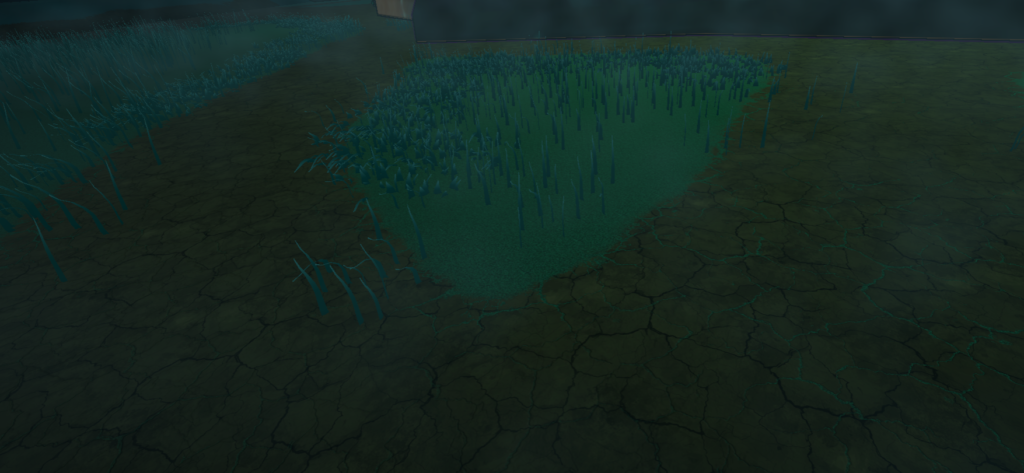
To make the workflow intuitive, I also worked with Claude to develop a dedicated C# Splat Painter tool directly within the Unity Editor. This allows me to paint RGB weight masks right onto the terrain’s UVs in the scene view. With customizable brush settings and the ability to save the mask as a PNG, I can rapidly draw custom pathways and seamlessly blend ground variations.

Custom Audio Architecture & Original Sound Design
הנה הגרסה המעודכנת שמדגישה את פתרון הבעיה של עומס האויבים (דרך מנגנון ה-Rate Limiting שמופיע בתמונות שהעלית). הטקסט שומר על זרימה טבעית ללא נקודות:
Custom Audio Architecture & Original Sound Design
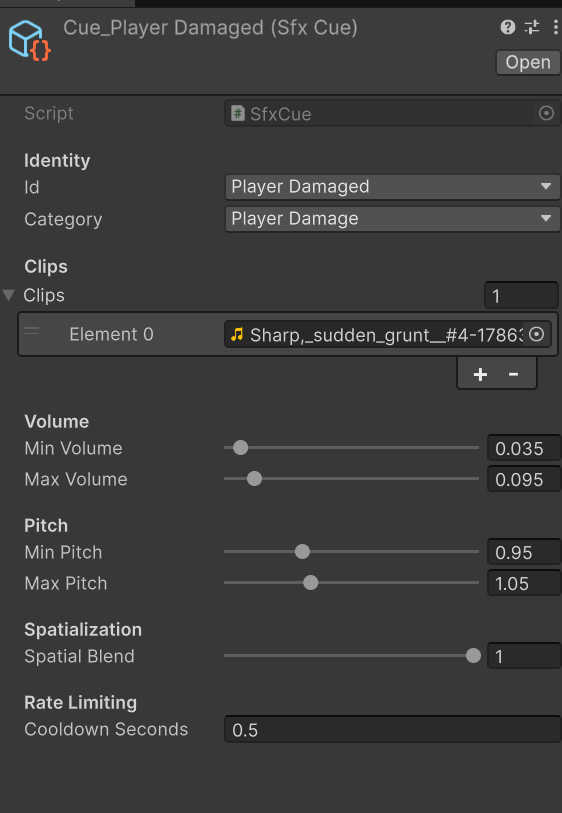
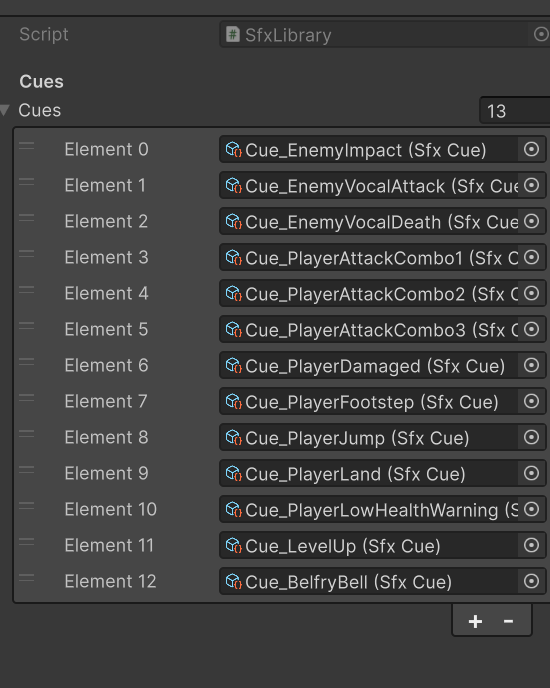
Drawing on my background in music production and audio recording, I composed and recorded all the original sound effects and music for this project from scratch. To manage these assets effectively, I developed a data-driven audio management system in Unity using custom ScriptableObjects.
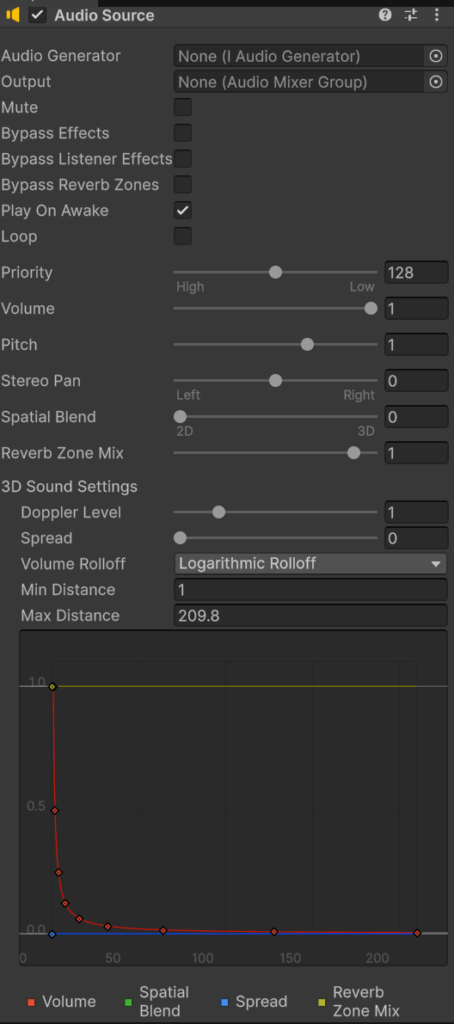
Because our game features massive swarms of enemies, a major focus was preventing audio clutter. I implemented dynamic rate-limiting and cooldowns for each sound cue, ensuring that even with dozens of enemies acting at once, only a controlled, impactful number of sounds play simultaneously. This keeps the audio mix clean and punchy without overwhelming the player. Furthermore, the centralized Audio Manager utilizes custom logarithmic rolloff curves for highly accurate 3D spatial sound and seamless music transitions as the player moves between areas.

Dynamic Physics: Custom Rigging & Magica Cloth 2
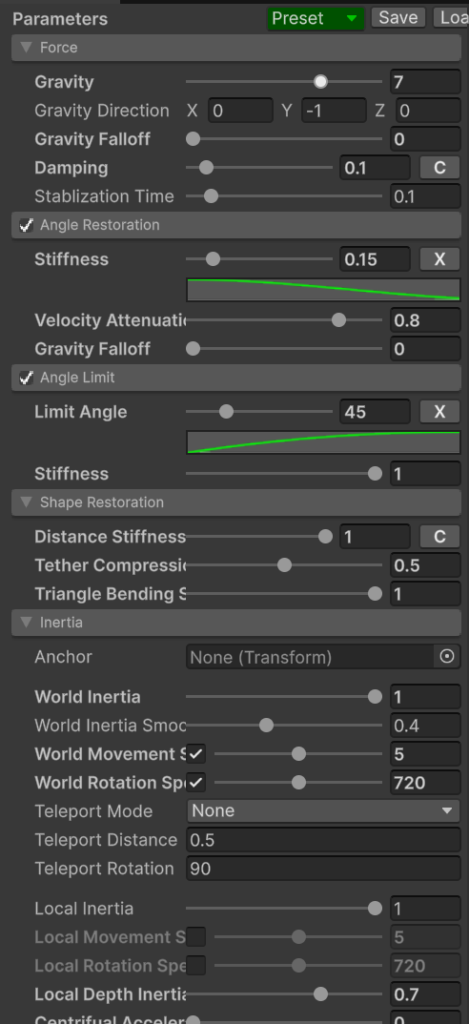
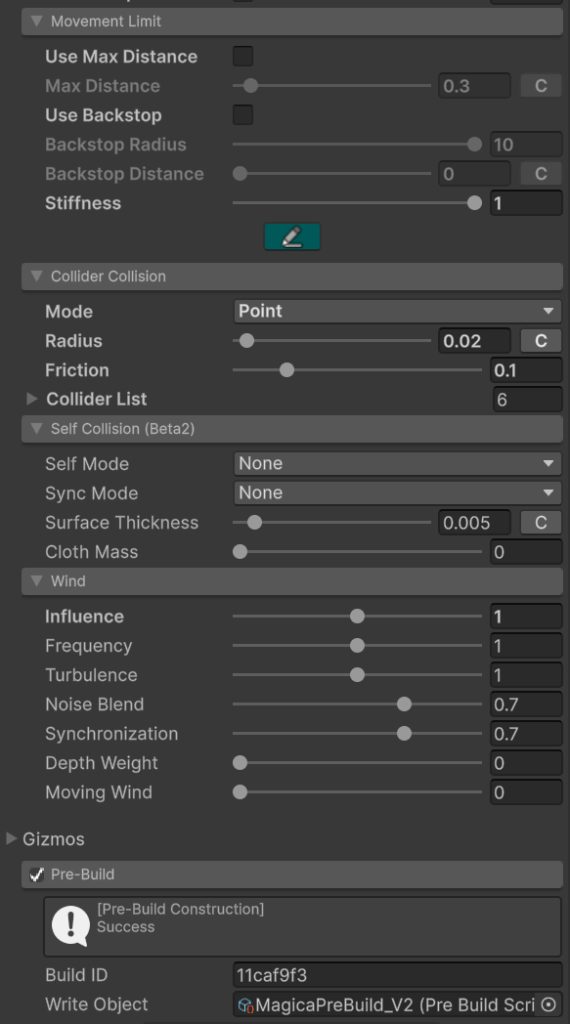
To bring the character’s cloak to life, I integrated the Magica Cloth 2 plugin to handle dynamic clothing physics. Before applying the simulation, I built a custom skeletal rig dedicated entirely to the cloak, allowing me to fine-tune the parameters for a highly stylized, slightly surreal, yet perfectly fluid movement. To ensure flawless interaction with the character, I meticulously placed Magica Cloth colliders across all the key anatomical areas of the full body. This prevents any mesh clipping or unwanted collisions, maintaining the elegant flow of the fabric in real-time.