Dynamic Particle Explosion Shader
For this project, I created a custom Shader Graph designed to work in perfect sync with Unity’s Particle System. My goal was to build a highly versatile tool that can generate both heavy, realistic smoke explosions and fully stylized, cartoony effects, all from the exact same base shader.
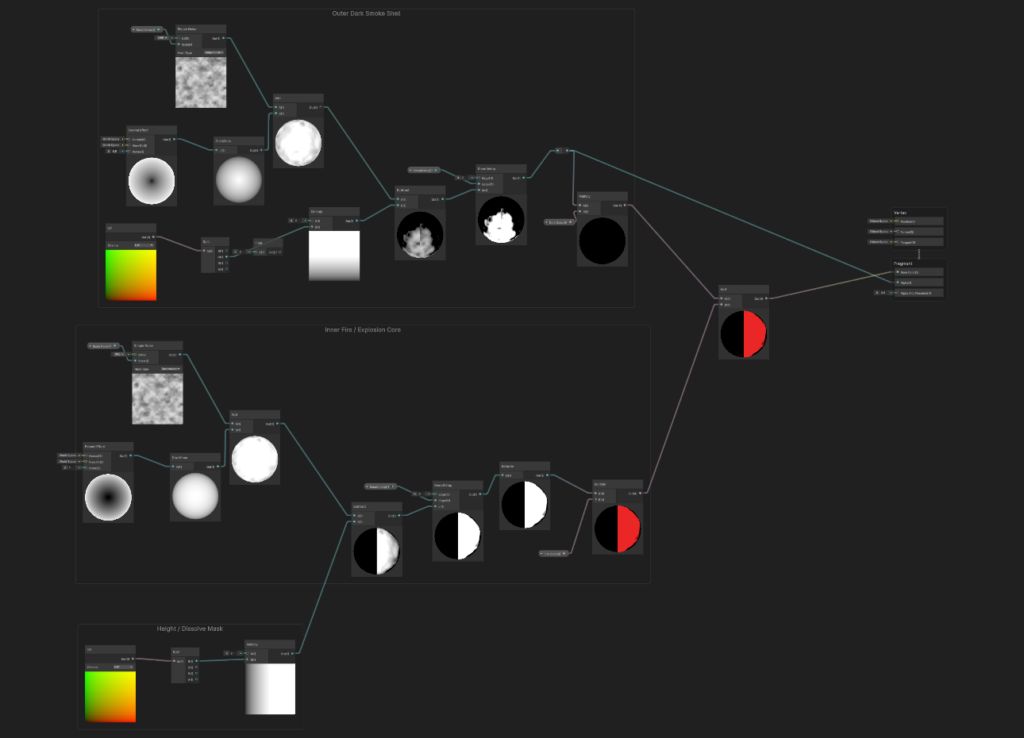
The graph itself is built on two parallel layers: a glowing inner fire core, and a dark outer smoke shell that masks it. By hooking this setup directly into the Particle System, I can feed custom data into the shader in real-time. This gives me complete dynamic control over the smoke’s dissolve effect throughout each individual particle’s lifecycle. The end result is a flexible, highly optimized system that can easily adapt to almost any Art Direction.
Check out the video example below to see the shader in action and how it handles the different visual styles!
Swirling Portal Core: Shader & VFX Graph Integration
Creating the front face of a magical portal requires a mesmerizing, drawing-in effect. For this project, I built a custom Shader Graph focused entirely on procedural UV manipulation to generate that hypnotic swirling motion.
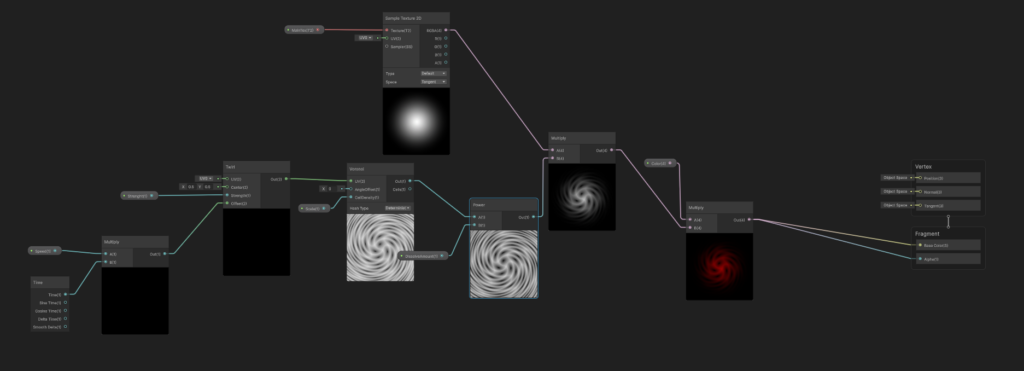
The core logic relies on driving a Twirl node with continuous time math. I fed this distorted UV data into a Voronoi noise generator, which creates a highly organic and dynamic vortex pattern. To keep the portal visually contained and prevent harsh edges, I multiplied the swirling output with a soft radial mask texture. I also added a Power node to act as a dissolve controller, allowing for crisp adjustments to the pattern’s contrast and thickness.
The most important aspect of this shader is its pipeline integration. I designed this material specifically to be plugged into Unity’s VFX Graph. By exposing parameters like Speed, Twirl Strength, Color, and Dissolve Amount, the VFX Graph can take full control of the shader. This allowed me to spawn the portal face as a particle and dynamically animate its properties over its lifetime directly from the visual effect system.
Procedural Lightning Strike & Particle System Integration
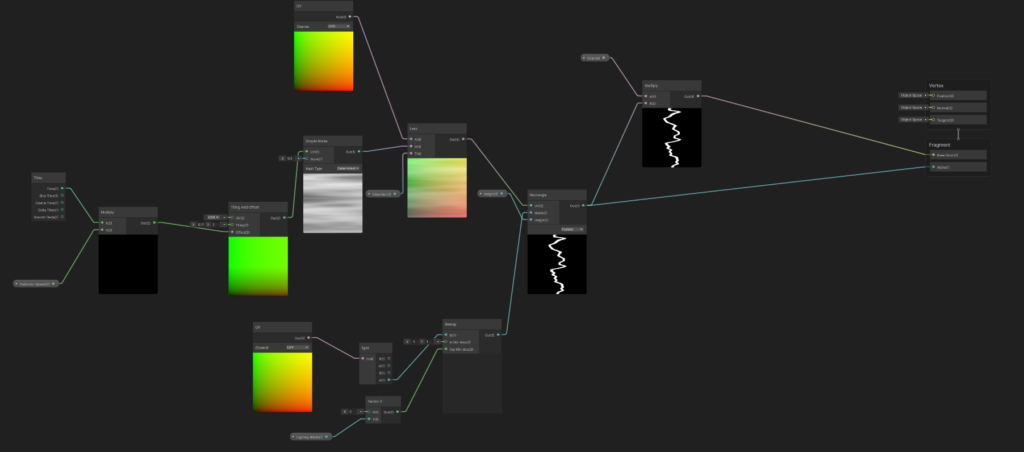
For this effect, I wanted a lightning strike that feels violent and unpredictable. Instead of relying on static textures, I built a fully procedural lightning shader designed to generate chaotic electricity on the fly.
The core trick here is aggressive UV distortion. I started with a basic Rectangle node and warped its UV space using a scrolling Simple Noise setup. By exposing parameters like Distortion Speed, overall Distortion amount, and Lightning Width, I gained complete real-time control over how jagged and erratic the bolt looks. It is a highly optimized way to create dynamic electricity without using flipbooks.
To bring the whole effect to life, I integrated this material directly into Unity’s built-in Particle System. The lightning bolt spawns as the core particle to deliver the initial flash. Exactly at the point of ground impact, the Particle System triggers a secondary sub-emitter that scatters glowing sparks outward. Combining the procedural math of the Shader Graph with the timing and emission controls of the Particle System resulted in a very satisfying and powerful ground strike.
Toon Shading & Outline Integration: From Nodes to AI-Assisted HLSL
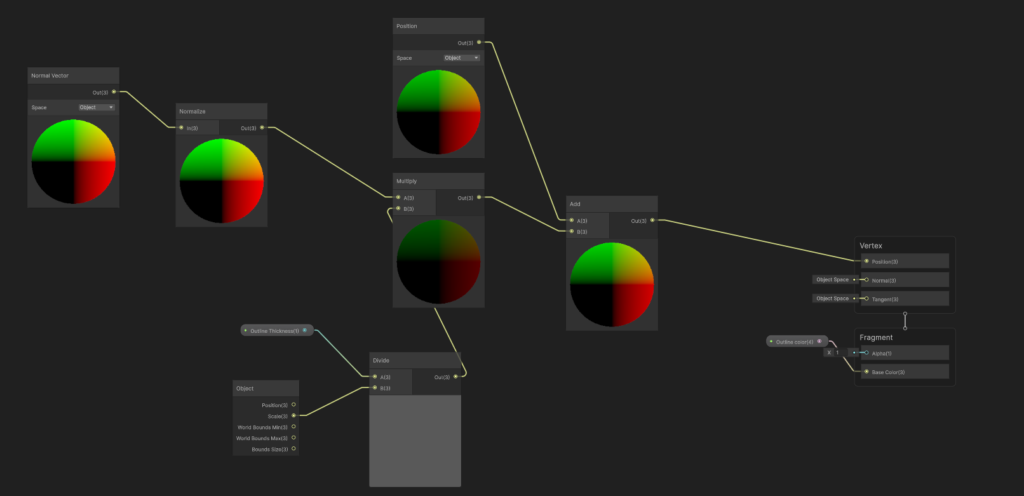
The Shader Graph snippet showcased here is a perfectly functional Inverted Hull outline setup. By taking the object space normals, scaling them by a thickness parameter, and adding that offset to the vertex position, it creates a solid extruded shell for the character outline.
However, after some deep practical thought and performance profiling, I realized that relying purely on Shader Graph for this specific art style had limitations. To achieve the required dark fantasy look, I needed both a stylized Toon Shader and this dynamic outline. Building and maintaining both rendering systems visually would require multiple material passes, becoming needlessly heavy and resource-intensive for the engine.
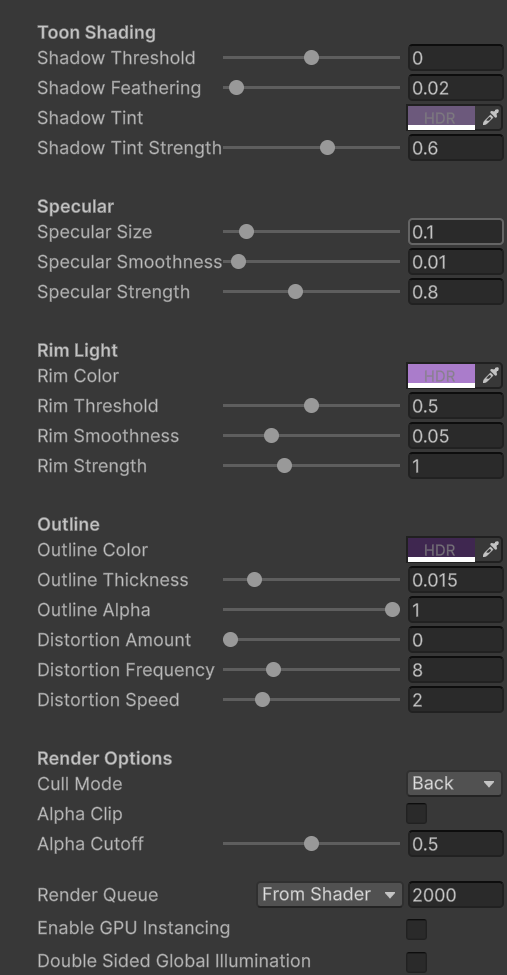
Instead of stacking materials, I decided to leverage AI capabilities to optimize the pipeline. I used Claude to write a custom HLSL shader that handles both effects natively. As the resulting codebase shows, it executes an OutlineHull pass for the border alongside a ForwardLit pass for the stepped toon lighting, entirely within a single optimized asset. This AI-assisted workflow drastically reduced rendering overhead, saved valuable development time, and gave me absolute control over the math.